Markdown lets you format text with a few plain characters — no toolbar, no mouse. This cheat sheet covers the syntax you'll use 95% of the time, with examples you can copy straight into any editor.
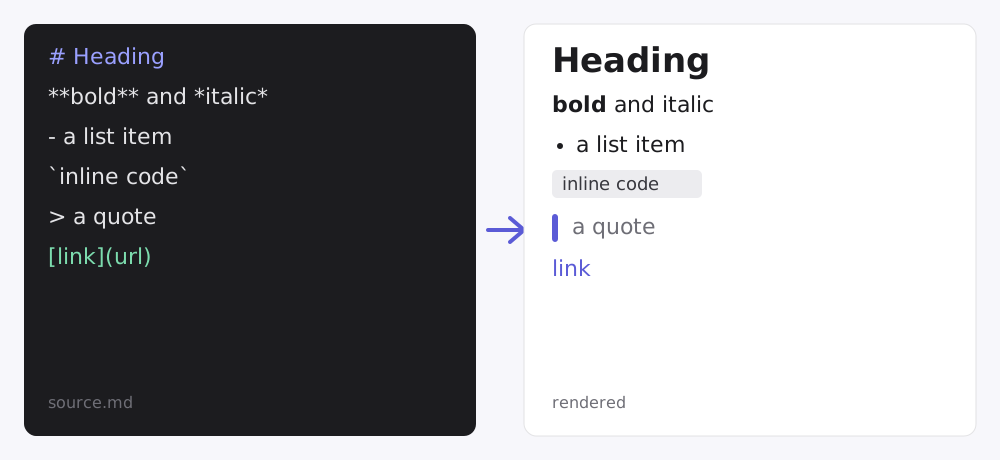
Markdown is just text. You add a # to make a heading, wrap a word in asterisks to italicize it, and the renderer turns those marks into formatted output. Here's the core syntax, grouped by what you're trying to do.
Headings
Use one to six # characters. More hashes mean a smaller heading.
# Heading 1
## Heading 2
### Heading 3
Leave a blank line before a heading so it isn't merged into the paragraph above it.
Emphasis
*italic*   or   _italic_
**bold**   or   __bold__
***bold italic***
~~strikethrough~~
Lists
Unordered lists start with -, *, or +. Ordered lists start with a number and a dot.
- First item
- Second item
- Third item

1. Step one
2. Step two
3. Step three
Links and images
Wrap the visible text in square brackets and the URL in parentheses. Images use the same syntax with a leading !.
[Visit Notebin](https://notebin.net)
Always write meaningful alt text — it helps screen readers and SEO.
Code
Use single backticks for inline code, and triple backticks for a fenced block. Add a language after the opening fence for syntax highlighting in editors that support it.
function greet(name) {
  return "Hello, " + name;
}
Blockquotes
Start a line with >. Use it for quotes, callouts, or notes.
Markdown was created in 2004 to be easy to read and easy to write.
Tables
Pipe tables use | to separate columns and a delimiter row of dashes. Colons in the delimiter row control alignment.
| Element | Syntax | Renders as |
|---|---|---|
| Bold | two asterisks | strong text |
| Code | backticks | monospace |
| Link | brackets + parens | a hyperlink |
Horizontal rule
Three or more dashes on their own line create a divider:
---A few rules that trip people up
- Blank lines matter. Separate paragraphs, lists, and headings with a blank line.
- Two spaces = line break. End a line with two spaces to force a
<br>without starting a new paragraph. - Flavors differ. "GitHub Flavored Markdown" (GFM) adds tables, strikethrough, and task lists on top of the original spec. Most modern tools support GFM.
See it rendered
The fastest way to learn Markdown is to watch it render as you type. Paste any of the snippets above into Notebin, click Create link, and you'll get a clean, shareable page — a handy way to preview your formatting and share notes, docs, or snippets without setting up a site.
Bookmark this page and you'll rarely need to look up syntax again.