The quickest way to share Markdown online is to paste it into a Markdown-aware host that renders it to a clean page and gives you a link. But the "best" method depends on whether you need rendering, privacy, collaboration, or permanence. Here are six options compared.
You wrote something in Markdown — meeting notes, a spec, a README, a code snippet — and now someone needs to read it. Sending the raw .md file means they see # and * everywhere. These six methods each solve that differently.
1. GitHub Gist
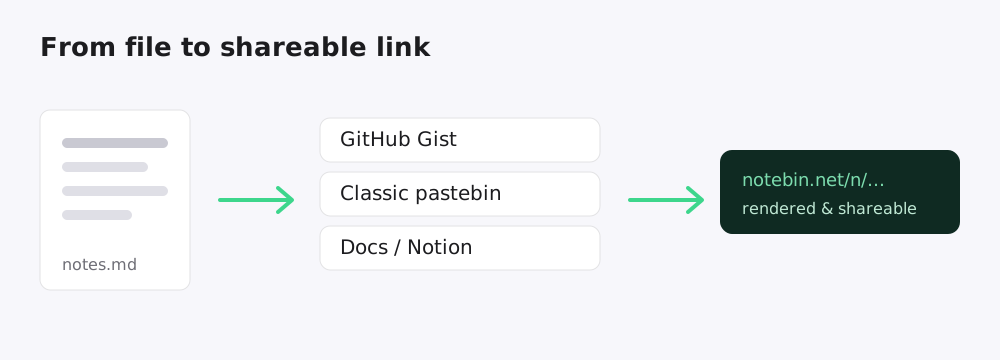
Paste your Markdown into gist.github.com, name the file with a .md extension, and Gist renders it. Great if you already live on GitHub.
- Pros: free, version history, comments, trusted domain.
- Cons: requires a GitHub account, public gists are indexed and searchable, and the UI is developer-centric.
2. A classic pastebin
General-purpose pastebins are built for plain text and code. Some now detect Markdown, but many just show the raw source with line numbers.
- Pros: no account, instant, good for throwaway snippets.
- Cons: often no Markdown rendering, cluttered with ads, and links can expire unpredictably.
3. Docs apps (Notion, Dropbox Paper, Google Docs)
You can paste Markdown into Notion or similar and share a link. These are strong for ongoing, collaborative documents.
- Pros: real-time collaboration, comments, rich embeds.
- Cons: heavyweight for a quick share, inconsistent Markdown import, and the reader may hit a sign-in or permission wall.
4. A static site or wiki
Tools like a static-site generator turn Markdown into a published website. Ideal for documentation that lives somewhere permanent.
- Pros: full control, custom domain, great for docs sites.
- Cons: setup, hosting, and a build step — far too much for a one-off note.
5. A screenshot
Render the Markdown in your editor's preview and screenshot it. Sometimes the fastest option for chat.
- Pros: works anywhere, looks exactly like your preview.
- Cons: not selectable, not searchable, terrible for accessibility, and useless for long documents.
6. A Markdown link (a pastebin built for Markdown)
A dedicated "pastebin for Markdown" sits between a throwaway pastebin and a full site: paste Markdown, get a rendered, shareable page — no account, no build step.
- Pros: instant, beautiful rendering, link-based sharing, and options like expiry or password protection.
- Cons: not meant for collaborative editing or permanent documentation hubs.
Which should you use?
| If you want… | Use |
|---|---|
| Version history on GitHub | GitHub Gist |
| A throwaway code snippet | Classic pastebin |
| Ongoing collaboration | Docs app |
| A permanent docs hub | Static site |
| A quick, rendered share | A Markdown link |
For most "I just need someone to read this nicely" moments, the last option wins on speed.
Try it
That's exactly what Notebin does: paste Markdown, click Create link, and share a clean reading page in seconds — with optional expiry, passwords, and a beautiful server-rendered view. No account required to start.